


A seal adds a special effect to a piece of gear, such as a chance to drain HP when you hit. The same item sealed with different effects works differently.
Only red-star Legend gear can be sealed
Heads up
Right now only red-star Legend gear (level 70 and up) can be sealed. Nothing else accepts a seal
 Weapon
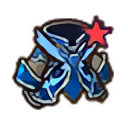 Armor
 Hat
 Accessory
This example is Penguin's BluePhoenix set. Every race has its own red-star set — look for the red star in the icon's corner · The Nine-Tailed Fox and Little Krathong pets can be sealed too
Where to get seal sheets
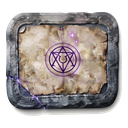 Monster dropsDropped sheets already have an effect
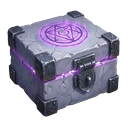 Open a seal boxGives 1 seal sheet with a random effect
Heads up
Free up a bag slot before opening a seal box, or it won't open
Hover over a sheet to see which effect it holds and which gear slot it fits.

Apply seals at Razan
Seal sheet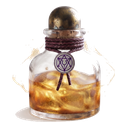 Golden seal ink
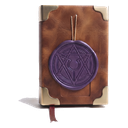 Seal bookSealed red-star gear
- PrepareA seal sheet, golden seal ink and a seal book
- Visit RazanChoose the red-star item to seal and press Seal
- Hope for the bestIt can fail — Extra Care helps. If it fails, your gear stays intact; you only lose the sheet and materials
Good to know
One item, one effectYou can seal over it, but the old effect is gone for good
Same sheets stackSheets with the same effect stack in your bag
Fashion doesn't countEffects only work on gear you actually wear
See every effectWhat's available and how each one works